
WordPress + Astro · Perspective
The real test of a website is the next edit
A good rebuild makes the next edit easier. See how to check drafts, previews, publishing, and the everyday work your team needs WordPress and Astro to handle.
On this page
At a glance
- Include the people who will edit the site in the rebuild, and ask them to demonstrate a normal change.
- Keeping WordPress can preserve useful habits, while preview, publication, and public features need a working Astro connection.
- Agree which content and layout changes editors can make without a developer.
The new homepage looks good. The mobile layout works. Everyone likes the type.
Then the person who will maintain the site asks: “How do I add next month’s workshop?”
They need a date, a description, a booking link, and a photo. Someone else needs to check it before it goes live. The announcement belongs on the homepage too, but only once it’s published.
That everyday request tells you something the homepage review cannot: how the team will keep the website useful.
AI can help explore a design, write components, and get a first version running. The person looking after the site on Monday morning also needs a reliable way to make the next change without breaking something or asking a developer for help.
Your CMS has probably been answering that question for years.
Follow one piece of content through the business
Consider that workshop announcement.
The person writing it needs somewhere to save an unfinished version. The person reviewing it needs to see the draft without accidentally sharing it with customers. Both need to know which version they are looking at.
If the date changes, they need to correct it. If someone replaces a useful paragraph, they may want the previous version back. If the announcement has to wait until Thursday, saving it today should not make it public today.
WordPress provides draft and pending-review states, role-based publishing permissions, and revisions for comparing and restoring changes. These are established editing tools, and teams often build their working habits around them. WordPress post statuses, roles and capabilities, revisions.
Those habits matter. “Can you review this draft?” is a much easier request than “Can you check the latest deployment and tell me whether it’s safe to merge?” for someone whose job is running workshops.
A useful CMS lets that person concentrate on the workshop instead of the software behind its announcement.
The Publish button carries a lot of expectations
An editor reasonably expects a published announcement to appear on the website. They may also expect it in an events listing, on the homepage, and under the correct category.
Some of that behavior comes from the CMS. Some comes from the theme, plugins, or custom work already installed. Over time, the team stops thinking about the boundaries. It is simply how their website works.
A rebuild brings those boundaries back into view.
Where does the event date live? Which pages use it? Is the homepage card pulling from the announcement, or has someone been copying the text into a separate field? What happens when the workshop is canceled?
Ask these questions before development starts. The announcement page and the steps around it both belong in the rebuild.
Even familiar features have operating requirements. WordPress supports scheduled publishing, for example, but scheduled tasks depend on its scheduling system being triggered. A headless site also needs the published change to reach its separate frontend. WordPress scheduling, WP-Cron documentation.
The button can stay familiar. The behavior behind it still needs testing.
Keep the WordPress workflow your team likes
If your team likes editing in WordPress, that is useful information for a rebuild.
You already have content, accounts, media, and working habits there. You may want a different design or a lighter public website without wanting a different place to write.
Headless WordPress gives those decisions some independence. WordPress manages the content, and Astro uses that content to render the public pages. Astro’s official integration guide describes connecting through the WordPress REST API, with GraphQL available through additional plugins. Astro’s WordPress guide.
Keeping the CMS gives the project a useful starting point. Connecting it to the new public design is part of the work.
The new site needs to understand your content fields. Editors need an accurate preview. Published changes need a route to the public pages. Drafts need to stay private. If an update fails, someone needs to know what happened and how to recover.
The division of work might look like this:
| What your team needs | What the rebuild must account for |
|---|---|
| Write and revise content | Keep the CMS workflow and map its fields to the new templates |
| Review a draft | Provide an authorized preview of the Astro page |
| Publish an announcement | Update the page and any listings that use it |
| Change an image | Carry over the right image, alternative text, and display sizes |
| Correct a mistake | Make the correction reach the live site and check the result |
That connection is part of the website you are buying.
Agree what your team can change themselves
If your team uses a visual builder, include layout changes in the discussion.
Changing a workshop description is one task. Moving the registration panel above the introduction is another. Creating a completely new page layout is another again.
A headless project can support a set of reusable sections and layout choices. But keeping WordPress does not, by itself, make every setting in your existing builder control the Astro site.
The proposal should explain what editors can change themselves. Ask to see those controls. If a new section requires development work, it is better to know before your marketing team needs it on a Friday afternoon.
A set of reusable sections can offer useful freedom while keeping the design consistent. Choose that freedom around the pages your team needs to create.
Check when a saved change becomes visible
Saving in WordPress and seeing the change on the public site may happen at different times. Include that delay, and how an editor checks it, in the demo.
With a static Astro setup, a publish event can trigger a new build. With on-demand rendering, the running site can fetch updated content, subject to its caching rules. Astro supports both approaches. Astro data fetching, on-demand rendering.
An editor should know what to expect from the approach chosen for their site. Does a change take a little time to appear? Where can they check its status? What happens if publishing fails halfway through?
This applies to visitor actions too. A contact form needs more than a confirmation message. Someone should verify that the inquiry was accepted, stored or delivered as intended, and available to the person who will answer it.
Checking where an inquiry arrives may take less attention than choosing a hero image, but it matters directly to the person who needs to answer it.
What our small publishing experiment showed
In a local WordPress-to-Astro experiment, we followed one published post through an edit, a source outage, and deletion while a second post remained in draft. Eight checks passed across three successful builds and one intentional failure. The recorded results include the versions, responses, file counts, and HTML hashes.
The saved edit reached the public API before it reached the generated pages. A manual rebuild made the change visible in the HTML. After deletion, a fresh build stopped generating the article. The draft was absent from the public responses and output we checked.
When WordPress was unavailable, the build failed. Our runner kept the previously accepted files by promoting only a successful candidate build. That was a rule in our test runner, not a guarantee from Astro or a hosting provider.
These were programmatic changes on an owned synthetic site. We did not test the editor interface, authenticated previews, scheduling, automatic publishing, or a real team’s workflow. Those are still tasks to demonstrate before accepting a rebuild.
Use the project brief and acceptance worksheet to specify those tasks for your own site.
Let an editor run the next demo
Before approving a rebuild, give the keyboard to someone who will maintain the content. Use a staging environment and ask them to:
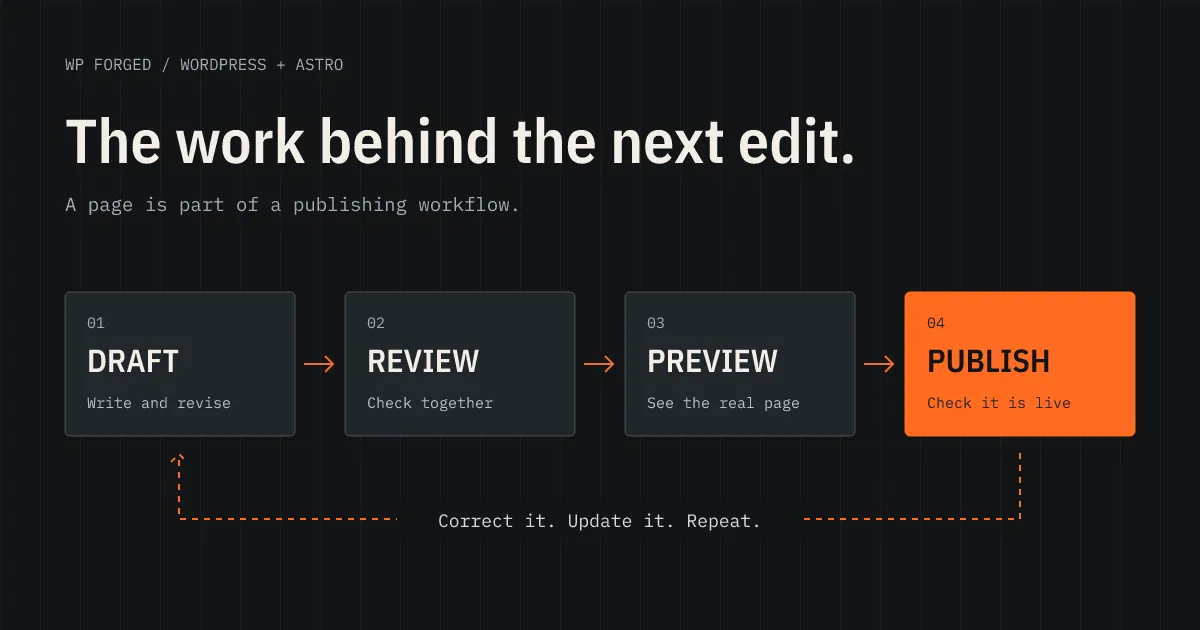
- Create a new announcement with a photo, date, and link.
- Save it as a draft and send it for review.
- Preview the actual public design on desktop and mobile.
- Publish it and find it in the places it should appear.
- Correct something, then check that the correction is live.
Watch where they hesitate and listen to their questions. Those moments show which labels, controls, or instructions need attention before handover.
A small, rarely updated site may be perfectly manageable without a CMS. A developer may prefer to keep content in files. AI can help build and maintain either arrangement. The right choice depends on who will do the work and how often they need to do it.
For a team already comfortable in WordPress, keeping that workflow can be a practical advantage. Include it in the scope alongside the public design.
At WP Forged, the editing workflow belongs in the rebuild discussion alongside the design and plugins. A useful starting point is one recent change your team needed to make.
If you’re considering a rebuild, send us your website and describe that change. Include any review or approval steps. That helps us discuss a site your team can keep using after launch.
Frequently asked questions
Do we still need a CMS if AI can build the website?
That depends on who will maintain it. A small site edited by a developer may work well with content stored in files. A team that needs drafts, permissions, scheduling, and frequent updates usually benefits from a CMS. AI can help build either setup, but the editing workflow still needs to be chosen and tested.
Can we keep WordPress and change the public website?
Yes. WordPress can supply content to an Astro frontend through an API. Your team can keep editing in WordPress while Astro renders the public pages. Previews, publishing updates, media, and plugin features need to be connected as part of the project.
Will our page builder still control the Astro layouts?
Not automatically. A page builder's settings need a compatible renderer or an explicit mapping to Astro components. A rebuilt site may offer agreed fields and sections for editors, while broader design changes require template work. This should be clear before you commission the rebuild.
Does publishing from WordPress always trigger a full Astro build?
No. A static setup can rebuild after a publish event. An on-demand setup can read updated content while serving pages, with caching configured around that workflow. The right choice depends on the site and its hosting. Both need an integration that handles updates and failures.