Migration · Guide collection
WordPress Page Builder to Astro Guides
Choose your WordPress page builder to find one complete Astro migration guide: Elementor, Beaver Builder, Divi, or WPBakery.
· 3 min read · WP Forged
Read the guideWordPress to Astro
Your website needs work. Your team wants to keep WordPress. We rebuild the website your visitors see in Astro, connect your content, and handle the move.
This site
Lighthouse 13, mobile, homepage. The four audit scores are out of 100; layout shift is a separate measure.
How it works
Astro is the framework we use to build the website your visitors see. WordPress stays the place you write and edit.
Keep writing posts, updating pages, and adding images in the editor your team knows.
See how a draft looks on the new website before it goes live. We set up previews and test them with your team.
We connect WordPress to Astro so your published changes reach the website. Before launch, you’ll know how long updates take to appear.
Page layouts and some plugin features change with the rebuild. See what stays the same and what changes for your editors.
Services
01
Rebuild your website in Astro and keep WordPress for writing and editing.
What is included02
Keep track of your pages, links, and search settings when you move to Astro.
What is included03
Check whether search engines and AI tools can reach your pages and read your business information.
What is included04
Help with updates, publishing problems, and the improvements your site needs after launch.
What is includedWhy Astro
We put the main content in the page itself and add scripts where they’re needed. Then we check how the finished site performs.
The public site runs separately from WordPress. We plan access to the editor and agree who handles updates and backups.
We check that your text and links are in the page HTML, so crawlers can read them without running browser scripts. How AI crawlers read a page
Compatibility
Your plugins help us understand what the new site needs to do. We’ll explain what can stay and what needs rebuilding. You don’t need to work this out yourself.
Before you decide
Work out whether a rebuild fits, what needs to be included, and how your team will edit the result.
Estimate the scope and ongoing costs, prepare a project brief, or compare the ways to keep WordPress.
Leaving a page builder? Read the migration guide for Elementor, Beaver Builder, Divi, or WPBakery.
Migration · Guide collection
Choose your WordPress page builder to find one complete Astro migration guide: Elementor, Beaver Builder, Divi, or WPBakery.
· 3 min read · WP Forged
Read the guideWordPress + Astro · Perspective
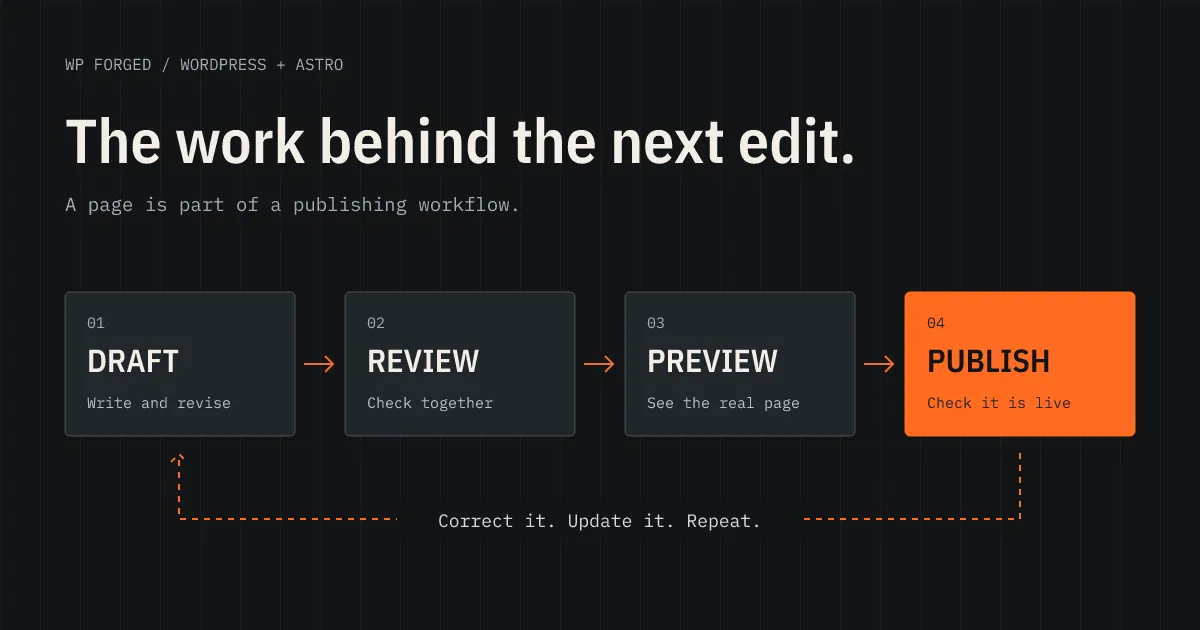
A good rebuild makes the next edit easier. See how to check drafts, previews, publishing, and the everyday work your team needs WordPress and Astro to handle.
· 8 min read · WP Forged
Read the guideAstro fundamentals · History
How Astro grew from its 2021 launch into a publishing framework, why its team joined Cloudflare, and what that means for your WordPress site.
· 13 min read · WP Forged
Read the guideSend us your website address and what you’d like to change. We’ll take a look and reply by email.